Worksheet guide
What is on the 8 times table worksheet
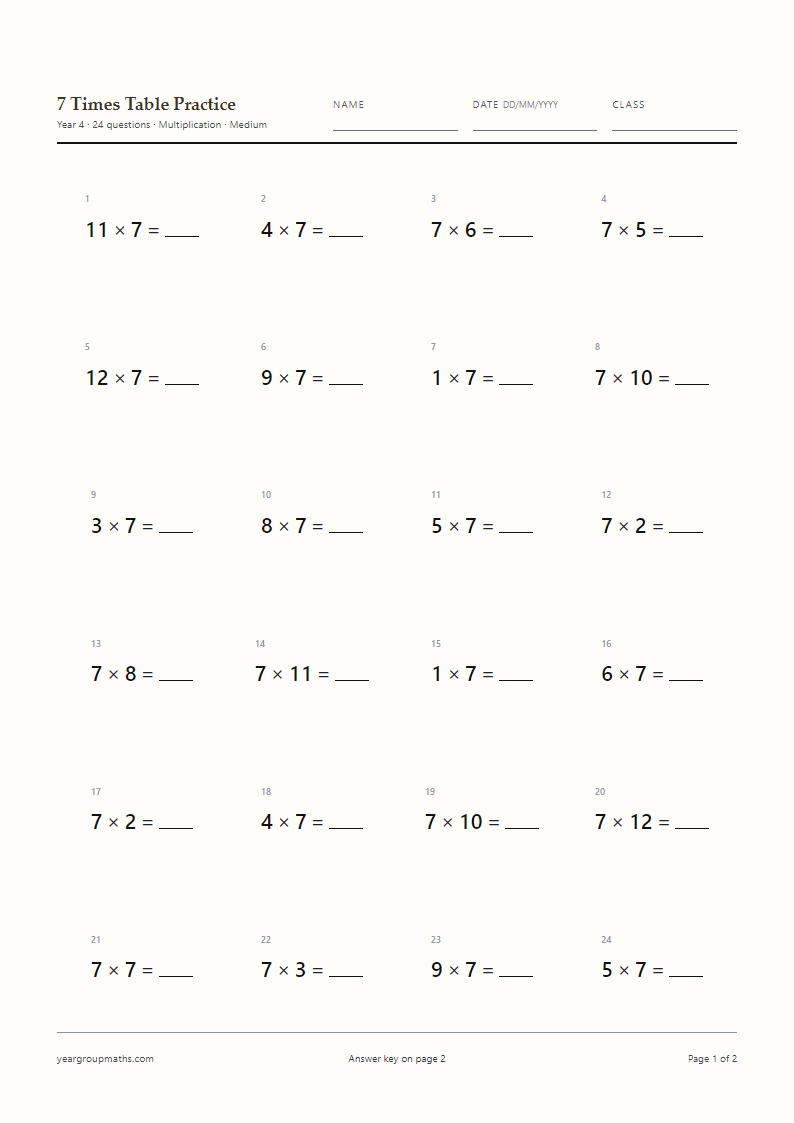
Twenty shuffled 8× facts at 18 pt, with the 8× table already ticked in the generator and the answer key on page 2. The header carries the title, name, date and class lines, and the footer reminds the reader where the answers are.
It is a single A4 page, so it prints on the school photocopier without scaling or cropping, and it works just as well printed at home on a domestic printer set to A4.
Double the 4× table
Because eight is two fours, every 8× answer is double the matching 4× answer: 4 × 7 = 28, so 8 × 7 = 56. And because four is two twos, 8 × 7 is also 7 doubled three times: 7 → 14 → 28 → 56. Children who can double confidently get the whole table for free.
That chain is worth writing on the board before the sheet is handed out. Once a child sees that 8× is doubling twice from the 2× table, the facts stop looking arbitrary and the sheet becomes practice rather than a test of memory.
Adapting it for different groups
For a child who is not yet secure with doubling, use the Easy setting and let them work down the sheet with a doubling chain written at the top. For a child who is fluent, tick 4× and 8× together and use Mixed so they have to choose between the two tables on every question.
The harder setting includes 8 × 11 and 8 × 12, which are the facts most often missed at the top of the table. They are also the facts that appear in the multiplication tables check, so a Hard sheet in the summer term is a sensible use of five minutes.
From multiplication facts to division facts
Division is the 8× table read backwards, and the sheet can print it that way. Set Question type to Division and every question becomes 56 ÷ 8 = _, which is a different skill from writing 56: the child has to search for the missing factor rather than the product. Do a multiplication sheet first, then the same table as division a week later, and the two directions reinforce each other.
How to use it
How to use this generator
- Check that 8× is the only table ticked.
- Pick Easy, Medium or Hard to set the multiplier range.
- Decide between Multiplication, Division and Missing number.
- Generate, print and mark from the answer page.
FAQ
Frequently asked questions
What is the doubling chain for the 8× table?
Double the multiplier three times: 9 → 18 → 36 → 72, so 8 × 9 = 72. It works because 8 = 2 × 2 × 2.
When is the 8× table usually introduced?
Schools vary, but it often follows the 2×, 4× and 5× tables because of the doubling link. The generator does not impose an order — you can print any table at any point.
Can I combine 4× and 8× on one sheet?
Yes. Tick both tables and choose Mixed. The questions then come from either table in random order, which is much harder than a single-table sheet.
Does the sheet include the 8× division facts?
Set Question type to Division and you get 56 ÷ 8 = _. The divisor stays in the 8× table, so the sheet still targets the same facts.
How many questions fit on one A4 page?
Twenty or twenty-four fit comfortably. Thirty uses a five-column layout at a smaller type size, and forty or sixty print over two sheets with the answers after them.
Can I print the answer page on its own?
Yes. In the print dialog choose Pages 2 to 2. The answer page is designed to stand alone, with its own title and the same question order.
More worksheets